
Pletor
Client: Pletor, Year: 2026
Designing for the people who run AI agents, and never see how they work. Pletor is a French creative platform. Teams build AI agents on an infinite canvas, chaining image, video and text models, then deploy them as Apps that anyone can run. I joined as a freelance Senior Product Designer for four months to design what happens after an agent is deployed: the App people land on, the bar they fill, the feed where the agent works, and the assets it leaves behind. Then I designed Batch, to run the same agent on a whole catalogue.
(01) Context
Agents are built by a few people. They are run by everyone else.
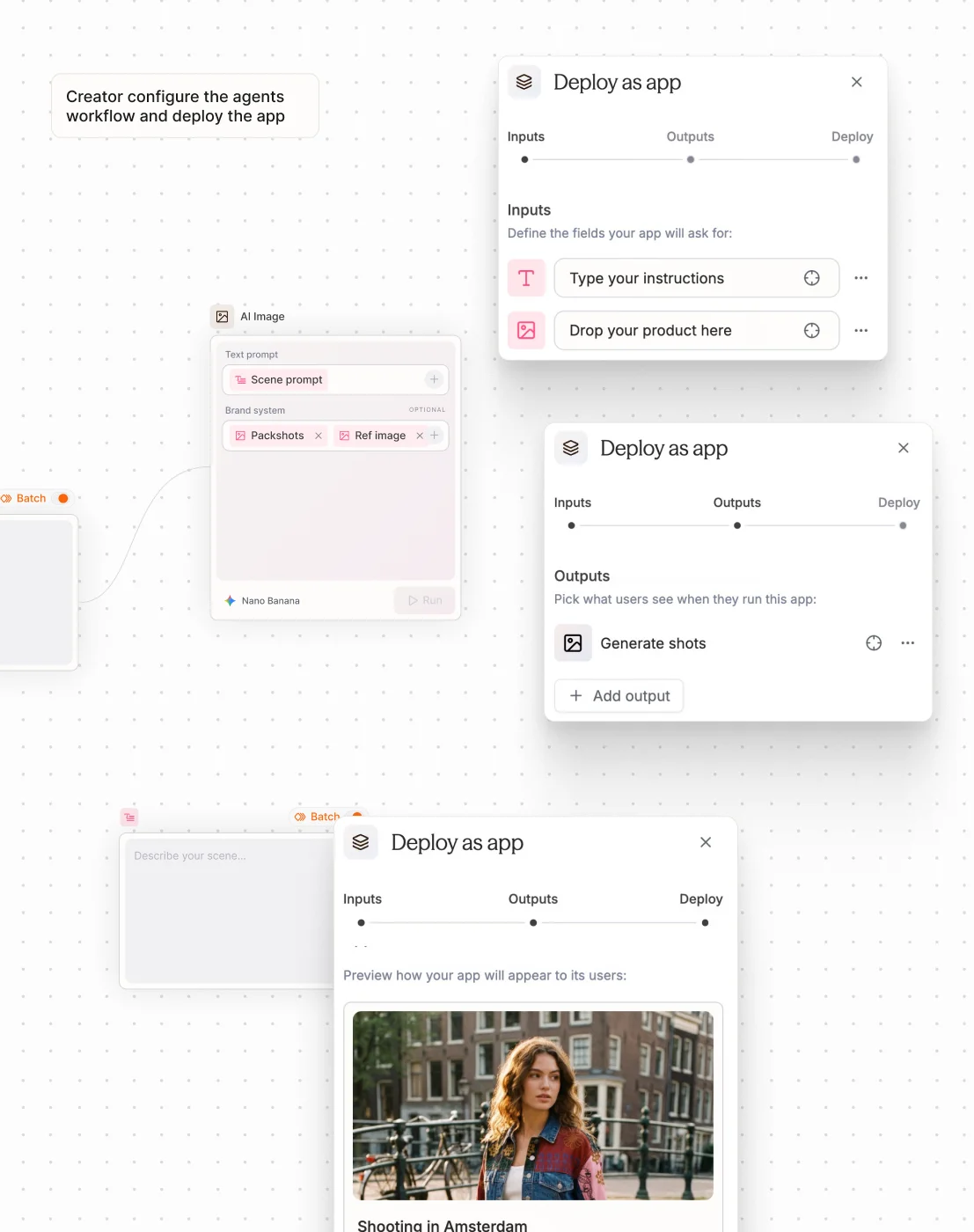
On Pletor, a creator chains models and tools into an agent, then deploys it as an App for a marketing team or a client. The people on the receiving end never open the graph. They have a brief, a brand book, a deadline. The discovery, led by Pletor's co-founder, was clear about what they wanted. My brief was to design their side of the product, from the first visit to the last edit, and to evolve the design system with every new component it needed.

(02) The App
Two ways in, one App
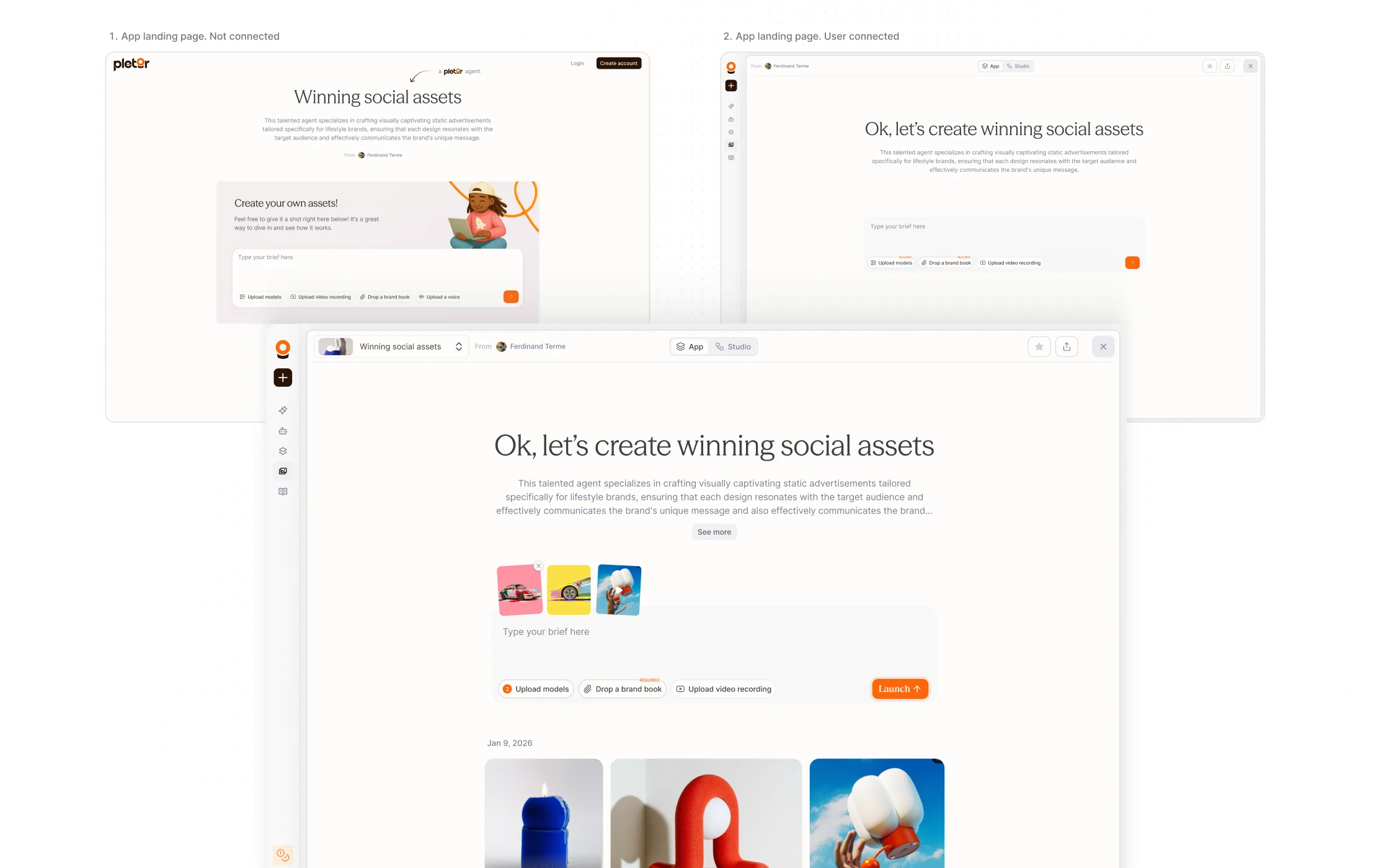
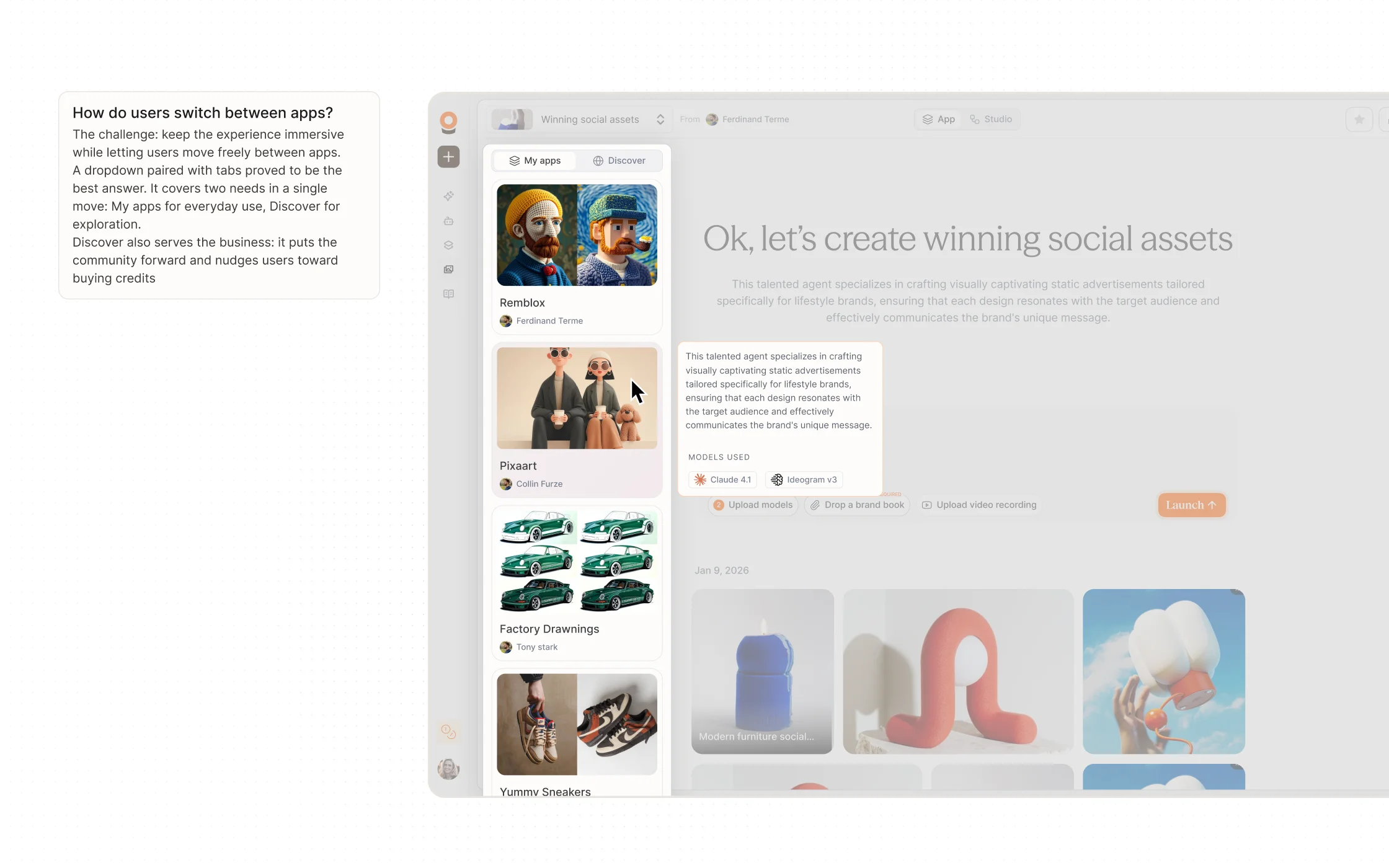
An App gets opened in two very different situations. Someone receives a link and has no Pletor account. Or a teammate opens it from inside the product, with past generations and other Apps one click away. I designed both entries to feel like the same place. The brief comes first, the creator is named, and real outputs show what the agent can do before anyone types a word. For logged-in users, the models behind the App are one hover away.
(03) Prompt bar
One prompt bar the creator configures
The prompt bar was the most interesting part of my mission. A creator can set up an App in many ways: which inputs it asks for, their type, the file formats it accepts, what is required, a free brief or a dropdown, a picker with a minimum and a maximum. The bar had to match every combination. So it could not be one fixed input. I made it dynamic: it reads what the creator configured and shows exactly those inputs, as chips over a single field. A required brand book shows as required. An input set to a dropdown or a product picker renders that way. Launch unlocks once the required inputs are filled.
(04) The feed
Watching an agent work
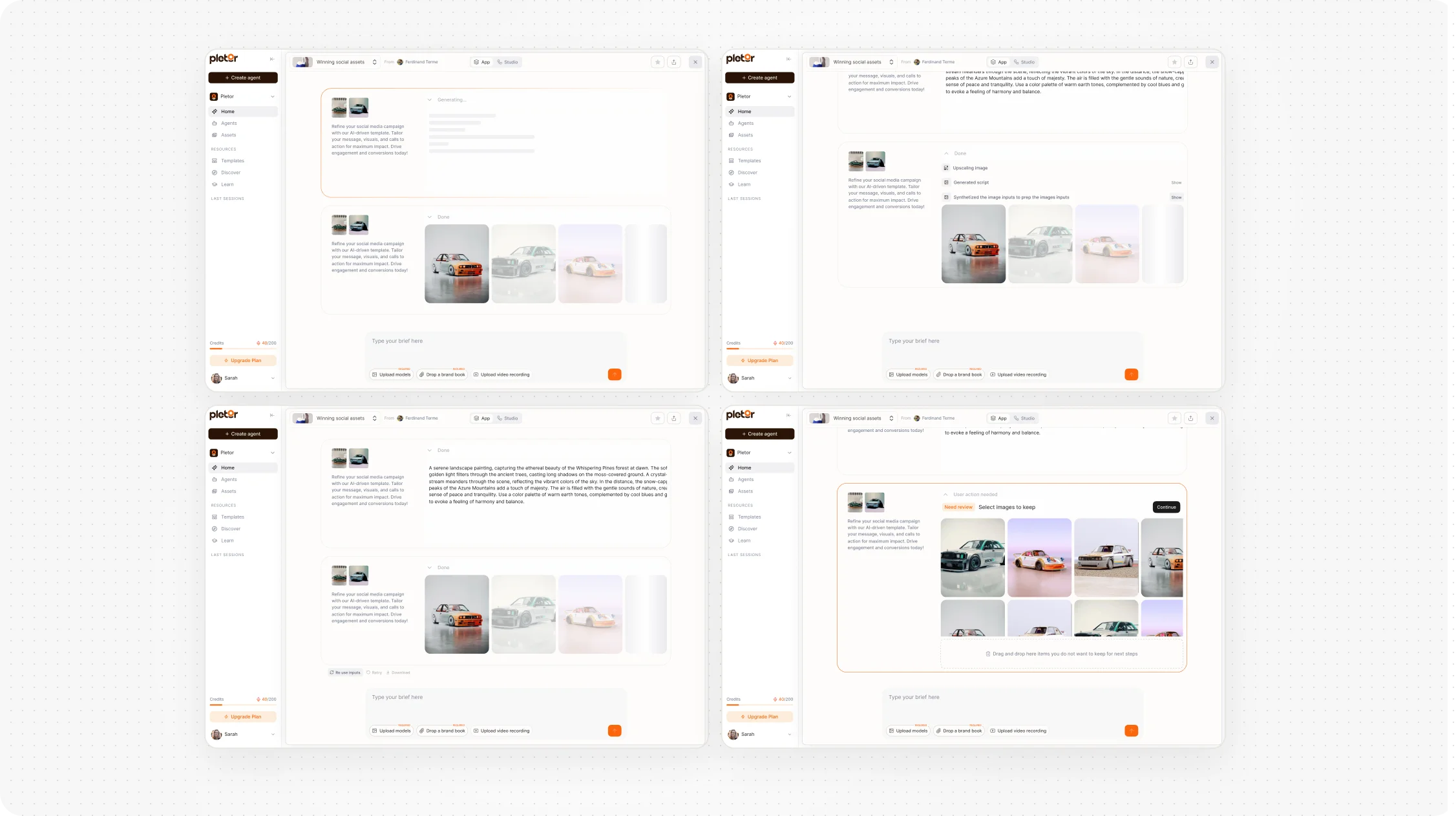
An agent is a black box. Showing its steps is how it earns trust: the operator sees the work happen, understands what a custom agent adds over a raw prompt, and can tell where a result went wrong. By default, though, they just want the result, and the machinery gets in the way. So I built one component with three levels: a live line of what the agent is doing now, the full list of steps on click, and a full-screen takeover when a step needs a human.
(05) Asset management
What the agent leaves behind
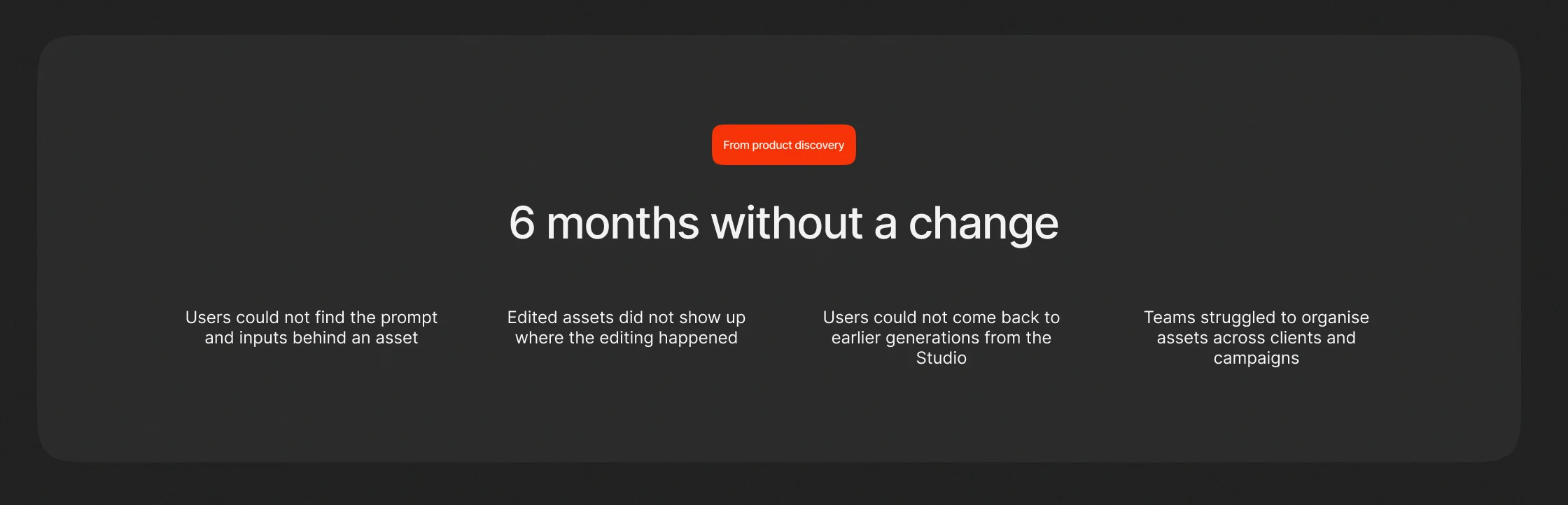
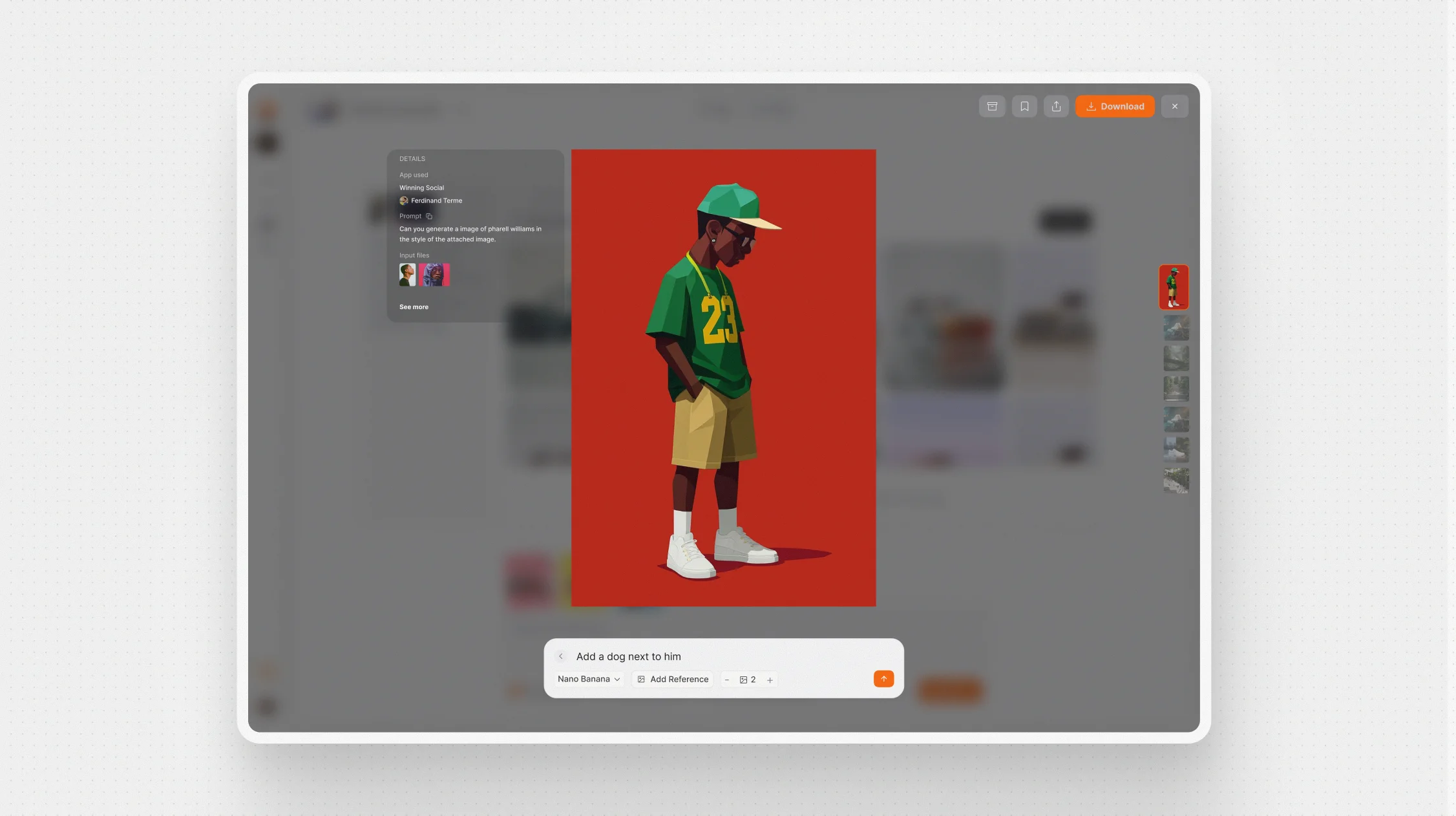
Generating is half the job. Then people zoom in, fix a detail, crop for a format, and need to know how an asset was made.The full-screen asset view had not changed in more than six months, and the discovery listed why it hurt. I rebuilt it around the asset itself. A light full-screen view, a toolbar of five actions, and details on demand: the App, its creator, the prompt, the input files. Quick edit turns the toolbar into the same prompt bar as the session, so editing an image means describing the change. Each edit comes back with two options to choose from. The view had to work for image, video and audio.
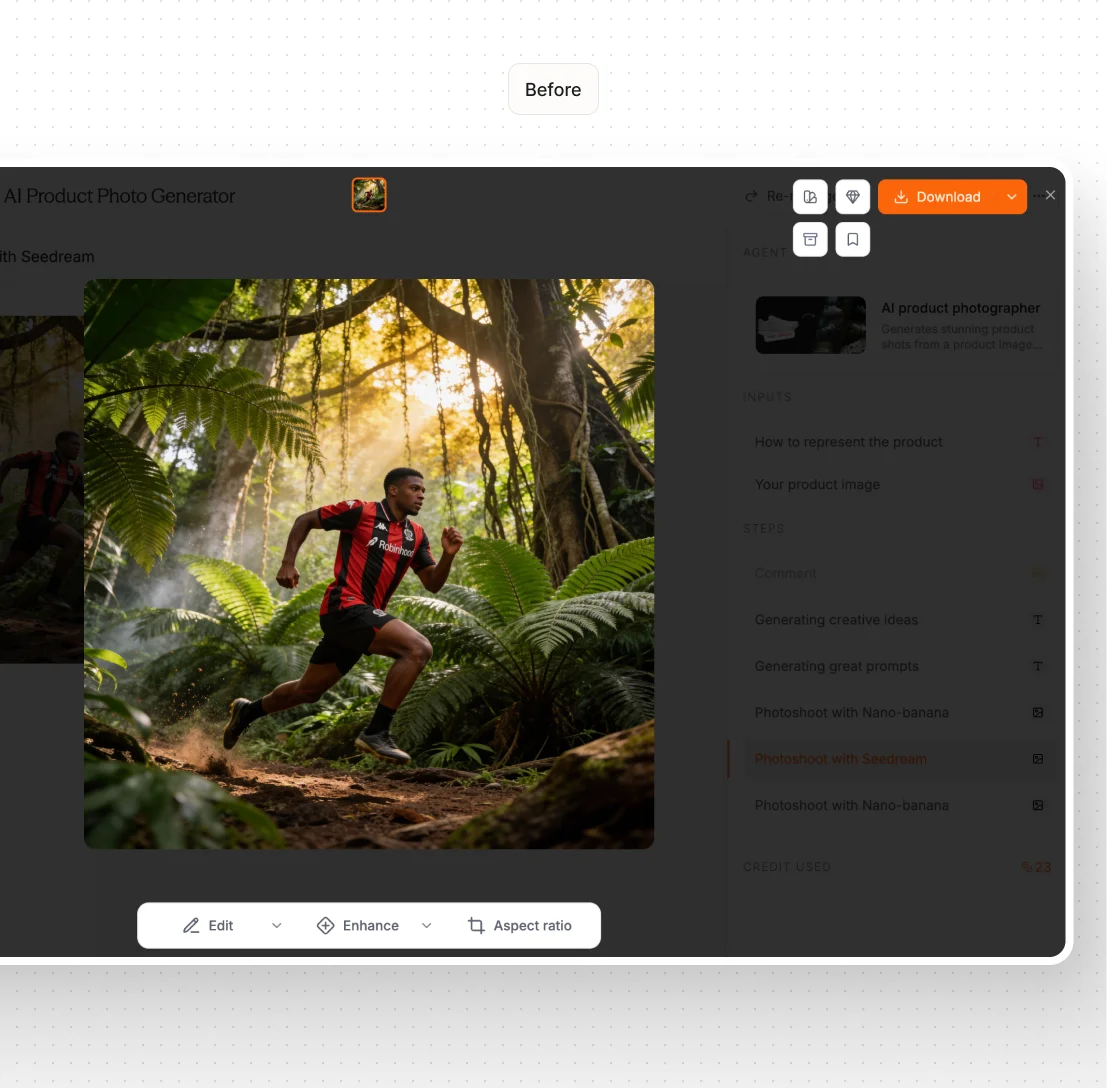
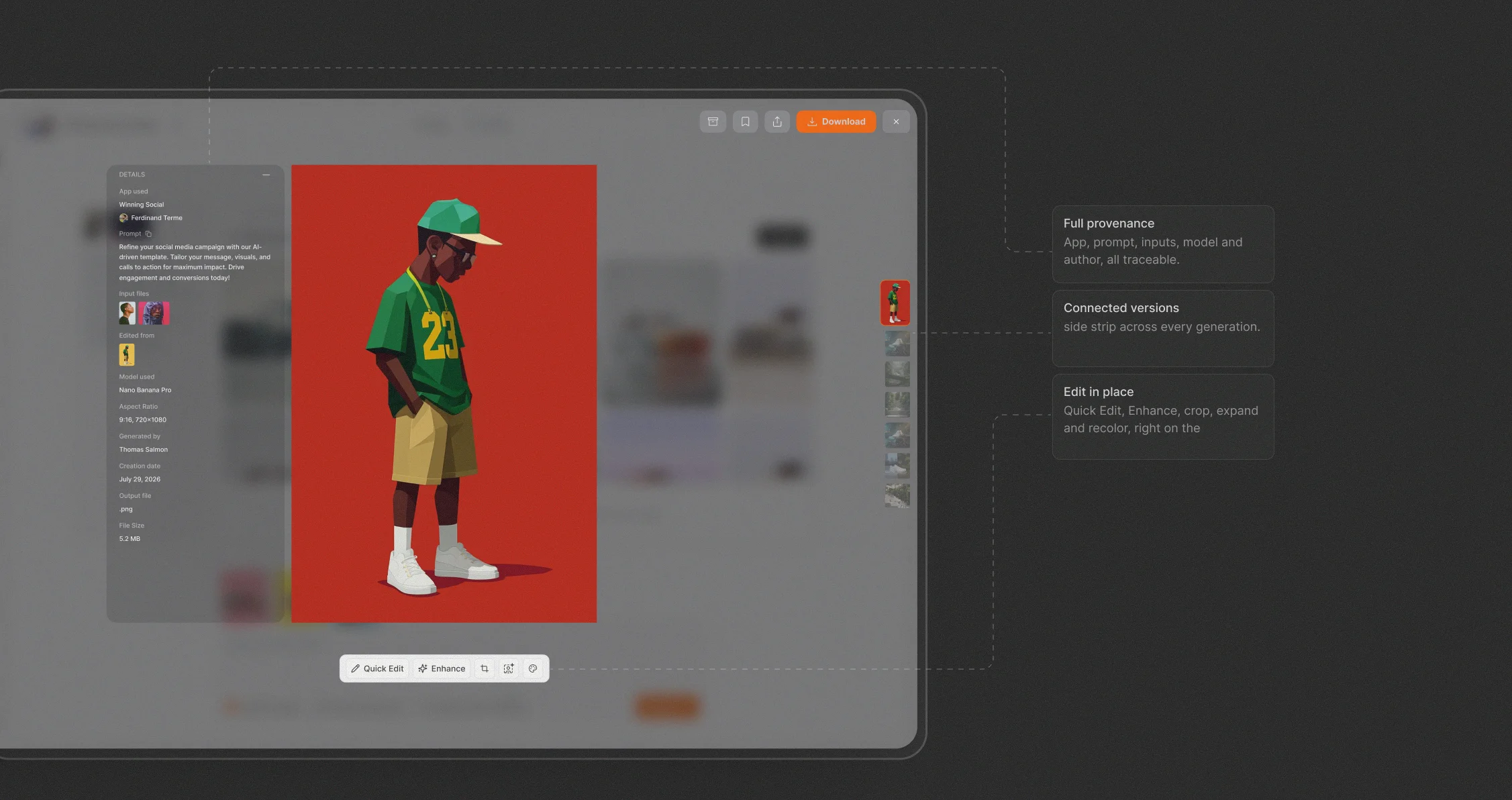
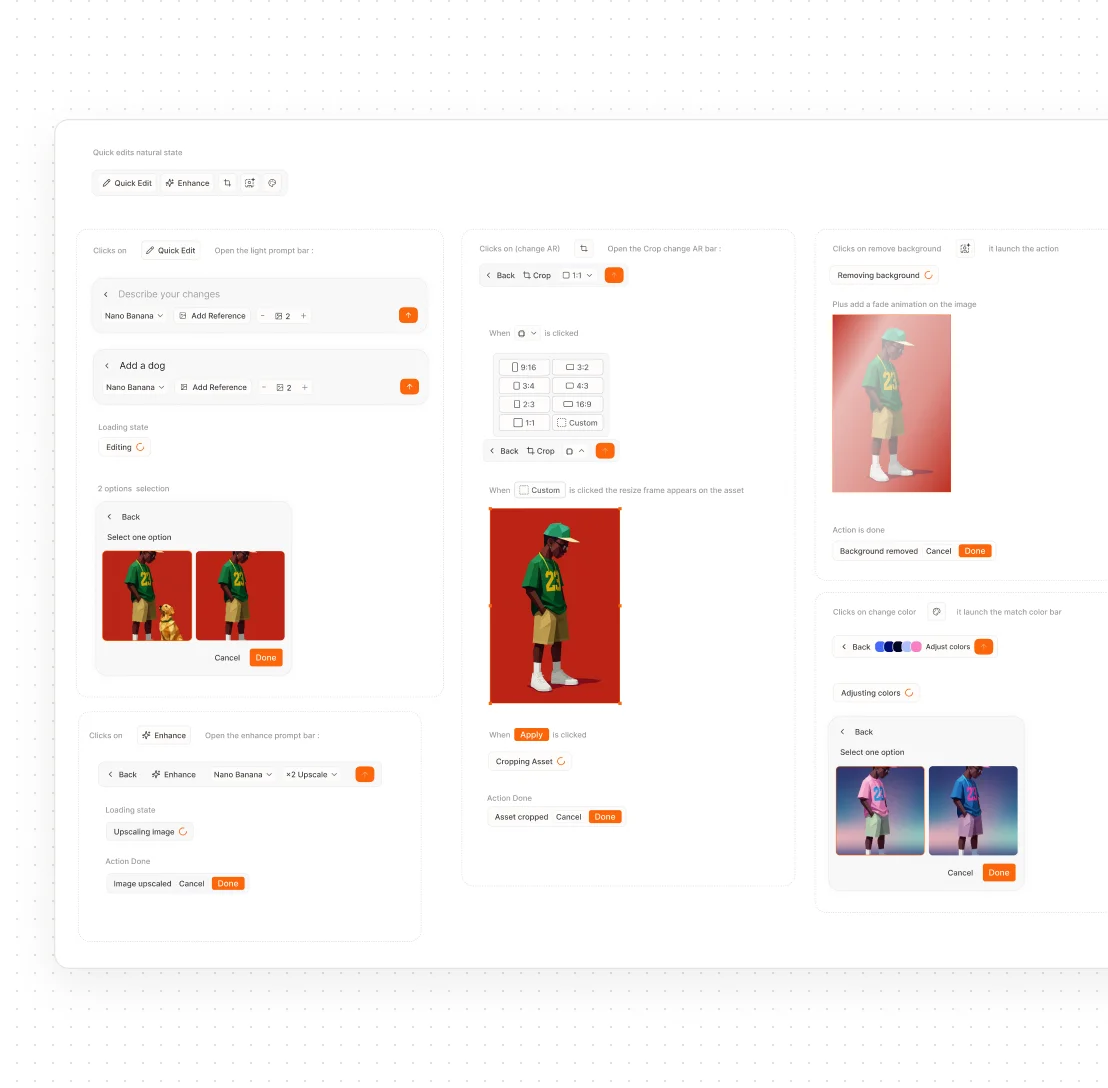
Editing an asset: evolution of the bar for quick moves and full control
Editing a generated asset was one of the weakest parts of the product: heavy, buried, easy to lose track of. But an operator rarely wants a full editor. They want to fix one thing fast, crop for a format, remove a background, recolor, adjust in words, then move on. So I designed a single prompt bar that fires those actions in one click and lets any of them open into their full detail when needed. Quick when you want quick, precise when you need precise. Building every action to that standard pushed the design system forward well beyond this screen.
(06) Conclusion
What comes next?
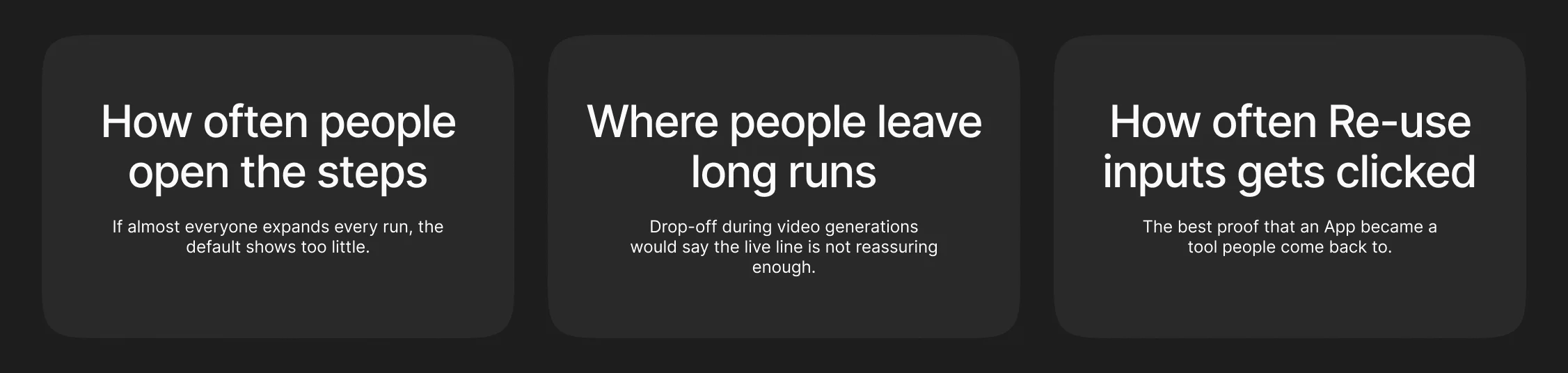
All three surfaces shipped and are live on pletor.ai. Pletor has rebranded since, and the structure I designed is still there under the new skin, with a few UI changes. My mission ended at launch, so I have no usage numbers to show here. If I were back on it, these are the three signals I would watch first. What I take away: a tool for creative people is a tree of creative decisions, and every branch has to feel light. I loved designing every one of them.